UpBeat

UpBeat
Team Size: 5
Duration: 4 weeks
Finished
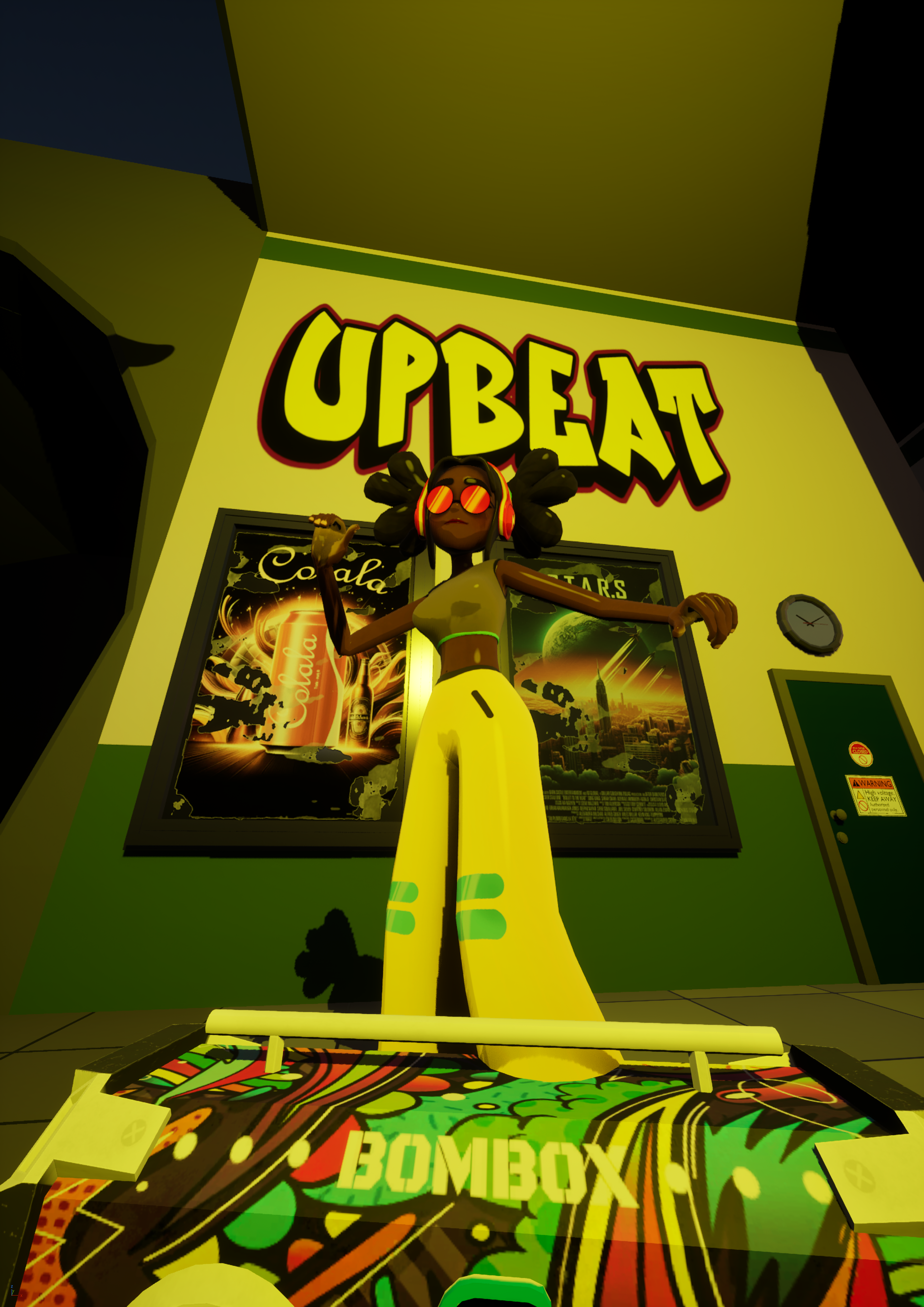
A rhythm-driven top-down bullet heaven inspired game where the music affects your playstyle. Weapon fire rate, camera effects and combat abilities are all synchronized to the beat of the selected track, and the player is rewarded for keeping the tempo.
Main Responsibilities
- Audio & Rhythm Systems. Refactored all audio components into a single AudioSubsystem encapsulating sound- and beat managers, and used audio analyzers to sync gun fire rate to the rhythm of the selected track. Also handled song switching, playback offsets and looping.
- ClickTimer & Slam Mechanic. Built the ClickTimer, a mechanic where hitting a key on the beat builds a multiplier that charges the Slam. Slam grants increased movement speed and double fire rate for its duration, while missed beats and off-beat hits reset the progress.
- UI, HUD & Shaders. Wrote shaders for text outlines, electric 'frazzle' effects, curved progress bars, speedlines and hit-flash feedback. Also built the pre-game record select screen, game over screen and interaction prompts.
- Combat Polish. Implemented Camera Slam VFX & related SFX, invulnerability handling and genre-dependent 'Perfect Hit' projectiles.
Rhythm Fire Rate
The core idea of the game is that the music is not just a soundtrack, but a gameplay system. In this video, the gun fires in rhythm with the selected audio track, with a camera punch landing on every 4th beat to sell the pulse. Using various OnsetNRT analyzers was really cool, but one alone simply didn't feel capable of giving the right feel. One reason we pivotted more and more to systems closely confined to BPM, BPS and time between beats, was because we felt that the amount of audio analyzers that would be required, and tweaked, in order for it to sound just right, was going to be too time consuming. It's still something I'd like to experiment more with, however.
- Fire rate matched to the beat via audio analyzers
- Camera punch VFX on every 4th beat
- Analyzer settings adjustable per song
ClickTimer HUD
The ClickTimer rewards the player for clicking on the beat. Notes travel along a 'conveyor belt' towards the middle of the screen, and hitting within the hit window increases the multiplier while missing resets it. The final version features custom shaders, a perfect hit/regular hit distinction, and a text multiplier that scales with the combo.
- Multiplier increases on on-beat clicks, resets on off-beat or missed beats
- Goal indicator changes color on 'perfect' vs 'regular' hits
- Shader-driven text outlines and electric effects
Camera Slam & Speedlines
With the 'Slam Activation' system, we wanted to give the player a sense of a power surge. Speedlines, camera FoV animations, movement speed buffs and a projectile "Ultimate" effect were all to communicate the power-up, with everything rapdily decelerating. The idea wasn't necessarily to give the players "just a little bit of power", but rather to have them reaching the peak more often.
- FoV animation on slam activation
- Speedlines intensity and movement speed scale with click hits
- Projectiles fire twice per beat during an active slam
AudioSubsystem
Audio logic was originally spread across several actor components, each requiring references to one another. I consolidated it into one subsystem so that anything beat-related has a single place to listen to.
- SoundLink & BeatTimer encapsulated in a singleton subsystem
- Beat events broadcast through the subsystem
- Song switching keeps the previous playback offset
- ConstantQNRT tuned to 12 bands per octave
Thought Process
Why a Subsystem
Previously, any event related to SoundLink or BeatTimer also required a reference to one of those objects, which made the dependencies messy and easy to break. Moving everything behind a singleton AudioSubsystem meant that gameplay systems like the ClickTimer, the gun and the camera punch could all subscribe to the same source of truth.
Analyzers & Frequencies
Working with audio programmatically was something new to me, so I had to begin with digging into frequencies, bands and octaves in order to understand the parameters exposed by ConstantQNRT and Onset NRT.
Switching Songs
Switching tracks used to restart playback from 0, which broke the rhythm flow. The new logic carries over the playback percentage, loops the track when it reaches the end and handles the case where the carried over offset would exceed 100% of the next song.
ClickTimer & Slam
The ClickTimer started as a simple mechanic and ended up as the heart of the game's moment-to-moment feedback. It was reworked from the ground up once, mostly in terms of presentation.
- Click window based on normalized beat progress
- Multiplier resets on off-beat clicks and missed beats
- Slam buffs movement speed and fire rate
- Perfect Hit projectiles vary by active genre
Thought Process
Click Window
A click counts as on-beat if it lands close enough to the start or end of a beat, roughly +- 0.1 of a normalized beat cycle. A click timed within roughly +- 0.05 within the normalized range is considered a Perfect Hit".
Reworking the UI
The first version used two mirrored progress bars and a hit window. For the rework, I kept all of the old logic and simply hid the elements, replacing them with a 'conveyor belt' of angle brackets. It was far from ideal, but the state of the project required every corner that could be cut, to be cut.
Slam State
During a slam, speedlines intensity and movement speed increase with every click hit, up to a cap. Missing a click or a beat resets both. When the slam ends, the speedline radius and walk speed decelerate over 3 seconds rather than snapping back, which feels a lot better.
Perfect Hit Projectiles
As a small experiment, a perfect hit spawns 5 homing projectiles if the genre is metal. For hardstyle, the projectiles also spawn in groups of 5, but travel straight outward from the player. The team liked it, so it went straight to prod.